IE 4.0 - UNAUTHORIZED
DISCLAIMER - All of this information comes from an anonymous source. We do *not* have a copy of the Memphis beta, the source simply sent us information and screenshots. If you find the information here a violation of privacy, please let us know.
IE 4.0, just the name sends shivers down the back of anyone that's heard of it. Those that have used it know that it will shortly be the definitive standard by which all other browsers will be judged.
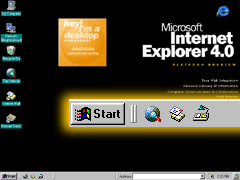 But what is it exactly? What does it look like? ActiveDesktop? Not since the release of Windows95 itself has a new computer application garnerd so much interest. Netizen's the world over congregate on Usenet discussion groups like microsoft.public.inetexplorer.ie4 that carries thousands of messages a week, to discuss the rumors of something that doesn't even exist yet.
IE 4.0 Unauthorized was fortunate enought find someone that has used one of the latest iterations of IE 4.0, the elusive Platform Preview Release, or PPR.
IE 4.0 PPR as discussed here was bundled with a private beta release of Memphis, Microsoft's yet unnamed next generation operation system. And according to our sources, it is difficult to tell where the operating system leaves off, and the browser begins.
The Microsoft Internet Suite Unveiled
Microsoft Internet Explorer 4.0 PPR
The Preview data for IE PPR will be available on March 27, 1997, I have simply run out of time this evening. Please be sure to come back then, but in the meantime be sure to read on and find out all of the neat new features that Outlook Express has.
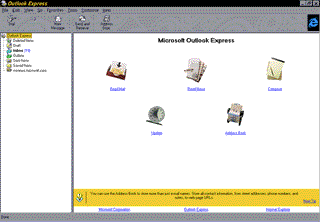
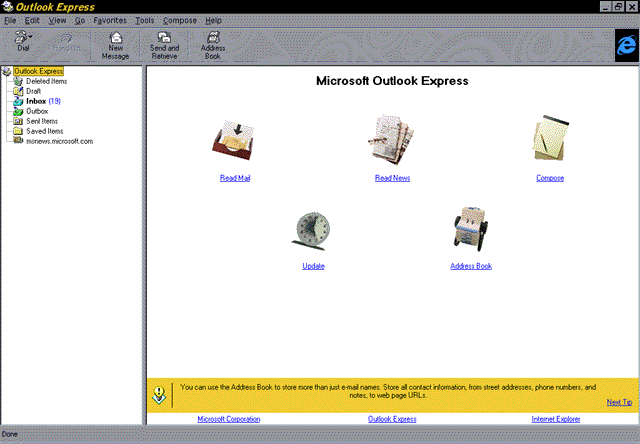
Microsoft Outlook Express
Microsoft Outlook Express, formerly known as Microsoft Internet Mail and News is one heck of a mean Internet messaging client. Taking some of it's design philosophies from it's cousin, Microsoft Outlook '97 (found as part of Microsoft Office '97), Outlook Express is not only easy to use, it is an extremely powerful messaging client. This is especially remarkable when one considers that this is only the second generation of this line of software.
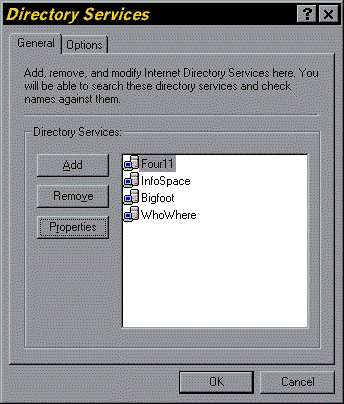
New & enhanced in this version is support for LDAP (Lightweight Directory Access Protocol), enhanced mail filters, Usenet filters, s/mime support, enhanced mail folder support, multiple mail & news server configurations and many other useful features.
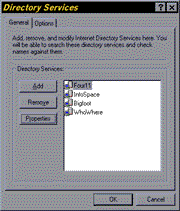
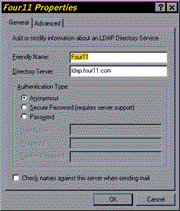
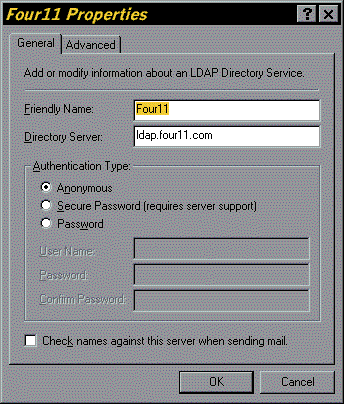
LDAP - Using the new LDAP-enabled address book, users can search popular Internet white pages directory services using first name, last name or e-mail name. Once the information is found, it's simple to send mail to that person immediately or store the address for later use. Sending mail has never been easier - users simply type the person's name on the TO: line in any message, and Internet Mail and News can automatically search the selected white pages directories to fill in the e-mail name.
While use of this feature may not come into vogue for a while, it does provide for an extremely way to search for email addresses via the Internet without necessarily having a lot of information about the user who's address you are searching for. With the release of Outlook Express, look for a big surge forward in the use of this newly announced protocol with end users all over the world.
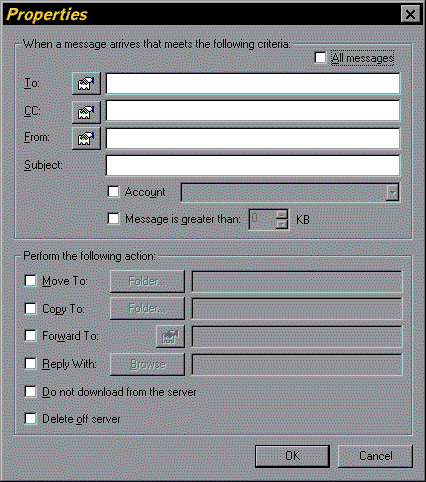
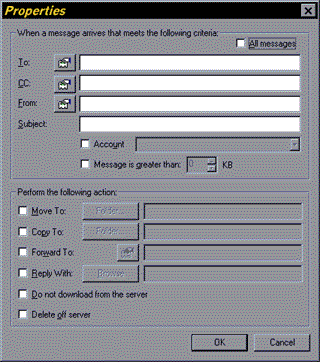 Incoming Email Filters - As the Internet grows, users are finding it harder and harder to control the influx of mail that they are being bombarded with. Email client developers like Microsoft have responded to this by developing tools that automatically organize your mail by apply a basic set of rules to all mail that you download. The rules dictate what happens to each message and where it is ultimately stored for retrieval.
For example, the Outlook Express email filter, Inbox Assistant, allows you to automatically re-route all incoming mail from your company's domain to a priority mail box. Or alternatively, you can specify different rules that automatically delete unwanted incoming commercial advertisements.
This feature is especially useful for individuals that get a lot of email each day. Using the Inbox Assistant not only makes it easier to organize your mail, but it makes it a lot more pleasurable as well because you now only have to read the mail you want to because you know where it has been stored.
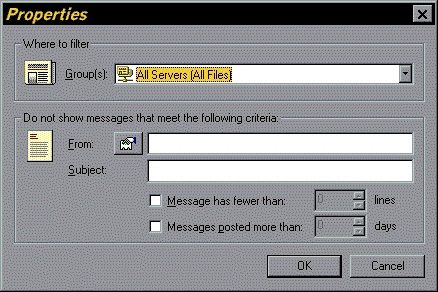
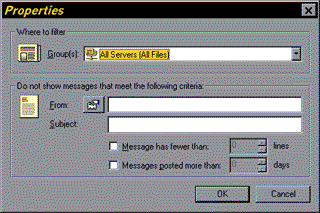 UseNet Kill-Files - Kill-files may not be nasty as they sound, but they are an extremely effective tool that allows you specify which Usenet news message's you don't want to read in the newsgroups you subscribe to.
Not only is this an effective tool for keeping the signal to noise ration to a minimum, but you can also use it as a rudimentary blocking tool to keep people that use your computer (like your kids) out of certain newsgroups (like alt.binaries.large.amazon.breasts).
While the kill-file support in Outlook Express is rudimentary to the UNXI counterparts that have been around for years, it certainly is a step forward in the right direction for OE. More tools like this, and Microsoft will certainly be able to call themselves an Internet company finally.
 S/MIME - This is probably one of the most forward thinking new features of Outlook Express; Secure Multipurpose Internet Mail Extensions support. Using S/MIME and your digital I.D. from
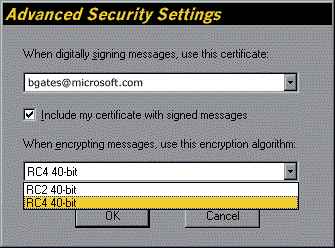 Versign you can have a digitally encrypted authentication tag, or signature, added to each email message that you send out. Additionally, you can use this same digital I.D. to fully encrypt all of your email so that it can only be read by trusted receivers. This is a truly useful feature, and not since Netscape introduced SSL browser support that one company has made such incredible advances to the goal of having a truly secure and private Internet.
This is also an extremely simple feature to use. Once you have obtained your certificate, or digital I.D., all you need to do to enable digital signatures and encryption is to click on the Advanced Settings under the Security tab of the Outlook Mail options menu.
Although Outlook Express only uses 40bit encryption, this is typically enough for most Internet users. It would be nice to see a 64 or 128bit version of this in the future, however only time will tell what the future plans are for this product.
In addition to the features that we have already discussed, OE also has enhanced support for mail and news management by bringing all of the different folders under one window pane that is typically displayed on the left hand side of the screen. As well, support for multiple mail servers has been enabled in addition to the support for multiple news servers that Internet News previously had. One really neat feature in the news portion of the folder pane appears when you click on a news server directly. Outlook Express does a quick check with the server to update the information on file, and it displays how many messages are in the groups on the server, how many messages you have not yet read, as well as the descriptions of the various groups. Anyone that has used PINE for Usenet reading will find the interface very similar in this regard.
Of course, if MS had included all of these features then what would we have to look forward to with the next build?
Until next time...